
A delivery arrives late, a contractor needs access and a service door alarm appears while the guard is dealing with both. None of those events is unusual on its own. The difficulty comes when several things need attention at once.
That is where a mobile patrol robot becomes an interesting option. It could provide another view of a location while a guard handles a different task. Whether that helps depends on how the team receives the information and what happens next.
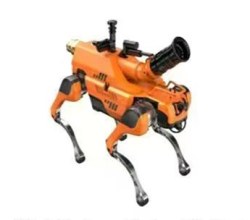
Sunnoyal’s Security Patrol Robot Dog for Industrial Inspection is presented for patrol and observation applications. Its product information lists autonomous, fixed-point and remote-controlled patrol, together with monitoring and alarm functions. For a night-shift team, the starting point is deciding where those functions fit into the existing routine.
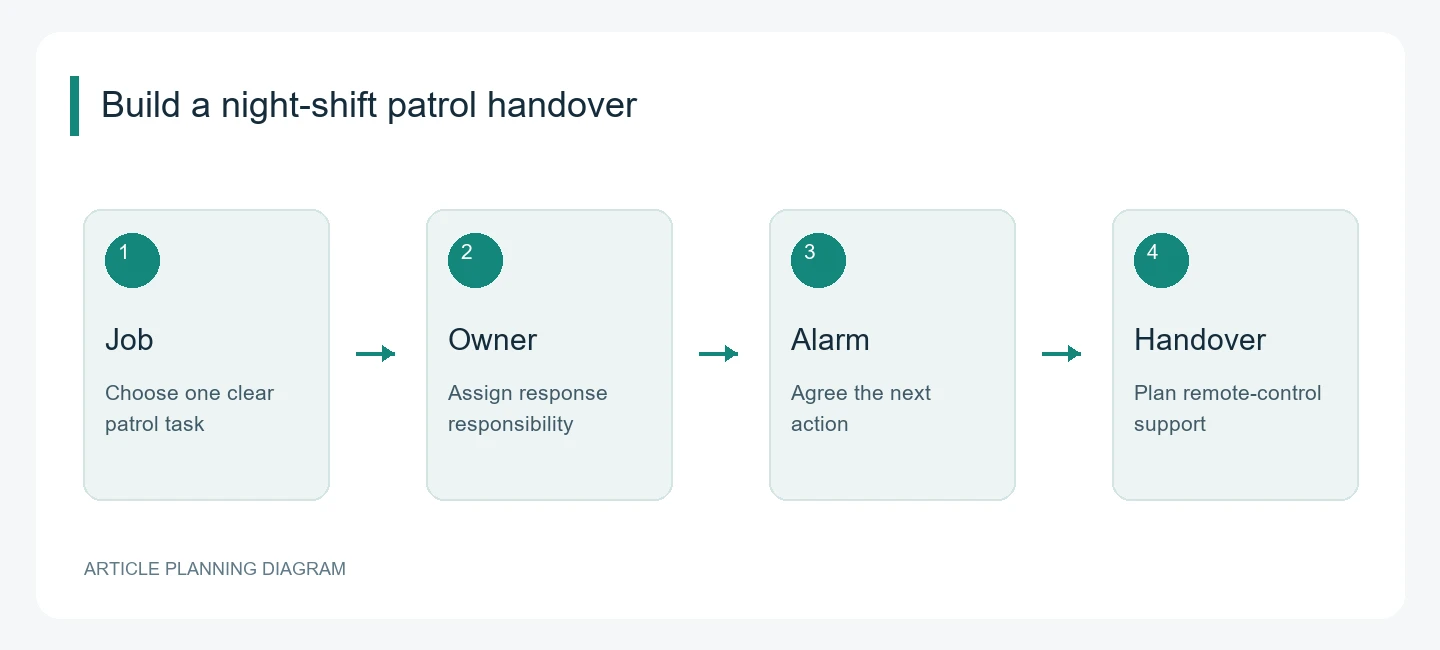
Choose one job people already understand
Ask the guards which recurring checks pull them away from other duties. The answer may be a service gate, a passage behind a building or an area that needs checking after the last delivery.
Choose one task and describe it plainly. “Look at the service gate after the delivery window closes” gives everyone a shared starting point. Add what the operator needs to see and what should happen if the view is unavailable.
A security patrol robot dog is easier to evaluate when it has a defined job. The team can then discuss whether the proposed equipment gives them useful information at the right time.
Agree who owns the task
Someone needs to know when the robot is working, whether its round has finished and whether anything needs attention.
That responsibility might sit with a control-room operator or a guard assigned to monitoring duties. The important part is making the responsibility clear within the shift. If everyone assumes someone else is watching the screen, useful information can be missed.
Sunnoyal describes task start, stop, alarm and execution records. During a demonstration, look at how those records appear to the operator. The team should be able to understand the task’s status without having to interpret several unfamiliar screens.
Turn alarm priorities into actions
The product information describes configurable alarm thresholds and General, Medium and Severe priority levels. Those categories need a practical meaning for the people receiving them.
For each relevant alert, write down the first response. It might be checking the live image, contacting a colleague or arranging for a guard to attend. Also define who can close the event and what information should be recorded.
Keep those instructions short. During a busy shift, an operator needs to understand what requires attention and where to find the supporting information.
Review the alarm settings with Sunnoyal before routine use. The available categories, configuration options and operator permissions should match the system being supplied.
Make remote control part of the handover
Sunnoyal lists remote-controlled patrol alongside autonomous and fixed-point modes. For the security team, the useful question is how an operator moves between those modes during an ordinary shift.
If someone takes control to inspect a location, what happens to the scheduled task? How does the next operator know the robot is being controlled manually? What steps return it to its normal assignment?
Walk through that sequence during training. The shift handover should make the current state clear, particularly if an event remains open when one team leaves and another arrives.
A short note about the robot’s location, operating mode and unfinished checks can prevent confusion.
Plan for deliveries, cleaners and late-working staff
A night shift does not always mean an empty site. Cleaners may move equipment through corridors, vehicles may arrive outside the usual window and employees may leave by different exits.
Explain those patterns when discussing the proposed deployment. The security team should understand how normal activity affects the patrol and which situations need a person to make a decision.
Also agree how staff and authorised visitors will be informed about the robot’s movements and cameras. Any announcements or warning functions should be configured around a clear site procedure and confirmed equipment capabilities.
This keeps the deployment connected to everyday work, rather than treating every unexpected movement as a security incident.
Measure the workload around each event
After a supervised pilot, talk to the people who handled the results. How often did they need to check the screen? Were alerts easy to understand? Could they find the relevant footage? Did the new task interrupt another responsibility?
Record the time and steps involved in responding to events. Include checks that still required a guard to attend. Those details help the team see where the proposed workflow helps and where it needs adjustment.
Bring that feedback to Sunnoyal alongside the camera requirements, shift instructions and training needs. A well-defined first assignment gives both sides something concrete to improve before the robot becomes part of the regular night-shift routine.